Secure the Supermarket Security Gear Database
Every major tool for receipts, detains, chases, and boss nights.
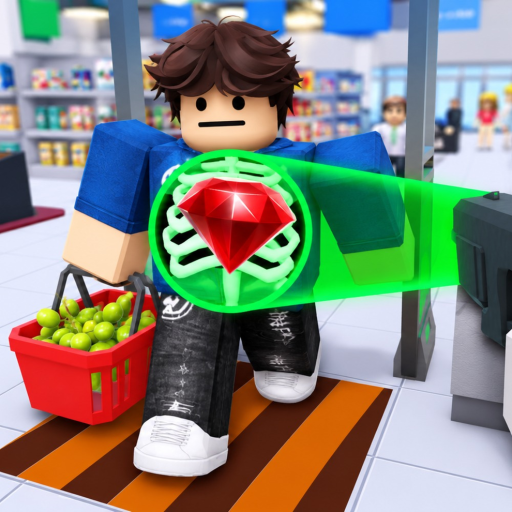
This gear database catalogs security equipment in Secure the Supermarket by STOP STEALING!!! — the tools you buy with Cash to scan receipts, stop shoplifters, and survive powerful criminals. Names and numbers may shift when STOP STEALING!!! patches the experience; cross-check live shops in-game and read Updates after each release.
For buy order, use Gear Ranking on the tier list. For income to afford gear, see Cash & Upgrades.
Gear categories
Receipt and scan tools
Help you compare paid lines to visible items at the exit lane (Receipt Scanning).
| Item (working name) | Role | Tier hint | Notes |
|---|---|---|---|
| Standard Magnifier | Zoom receipt text | A early | Cheap first upgrade |
| Advanced Receipt Scanner | Highlight mismatches | S | Core shift tool |
| Dual-mode Scanner | Toggle detail modes | B | Cooldown dependent (not confirmed) |
| Starter Flashlight | Low-light aid | C | Outclassed quickly |
Detain and combat tools
Used after you stop a customer (Catching Shoplifters).
| Item (working name) | Role | Tier hint | Notes |
|---|---|---|---|
| Basic Bat | Starter detain | B → replace | Tutorial default |
| Light Stun Tool | Reliable stun | A | Mid-game staple |
| Heavy Detain Baton | Elite/boss stop | S | Final thief prep |
| Old Rope | Short pull | C | Replace with pull gadget |
| Range Pull Gadget | Return runners | S | Mobile-friendly |
Utility and support
May interact with store systems (electricity repair not confirmed).
| Item (working name) | Role | Tier hint | Notes |
|---|---|---|---|
| Repair Kit | Fix sabotage | A situational | Rises during events |
| Speed Boots | Chase mobility | A | After scan skill solid |
| Noise Maker | Area distract | B | Niche crowds |
Cosmetic / flavor
| Item (working name) | Role | Tier hint | Notes |
|---|---|---|---|
| Cosmetic Security Hat | Visual | B flex | No combat stats |
| Plastic Badge | Visual | D | Badge hunting only |
Stat glossary
Terms used across guides and tier lists:
- Scan speed — time to complete receipt review
- Reveal — auto-highlight unpaid items
- Stun duration — how long shoplifters stay detainable
- Range — reach for pull or melee tools
- Cooldown — delay before reuse (not confirmed per item)
Exact numeric values must be read in-game — wiki lists roles until dataminers publish tables.
How gear unlocks
Typical flow:
- Earn Cash from shifts (Getting Started)
- Open in-game gear shop or upgrade vendor (UI not confirmed)
- Purchase with Cash; Robux items may exist separately (not confirmed)
- Equip via hotbar — see Controls for unconfirmed bindings
No Codes grant gear at this time.
Loadout examples
Early shift: Standard Magnifier + Basic Bat
Mid shift: Advanced Receipt Scanner + Light Stun Tool
Boss ready: Advanced Receipt Scanner + Heavy Detain Baton + Range Pull Gadget
Adjust using Shift Planner income targets.
Gear vs scripts
Scripts may expose ESP or auto-detain features that mimic top gear illegally — account bans outweigh convenience. Legitimate gear progress counts toward Badges & Achievements.
Future gear
New supermarket areas [SOON] may add regional exclusives. This database expands when items appear in public builds.
Related pages
- Tier List Hub — rankings overview
- Guides Hub — how to use each tool type
- Official Links — Roblox game page
Know your tools — shoplifters know the exits.
Frequently Asked Questions
Quick answers to the most common questions.
Where do I buy gear in Secure the Supermarket?
Use Cash at the in-game upgrade shop. Exact menu labels are not confirmed; earn Cash via Cash & Upgrades strategies.
What is the most important gear type?
Receipt scanners and detain tools split priority. Buy scan upgrades first if mistakes are frequent; buy detain if thieves escape often.
Do gear stats match Secure the Airport?
No. Games are separate despite inspiration. Use this database and Gear Ranking for supermarket-specific advice.
Are there Robux-only items?
Possibly, but not verified here. Compare any paid item to earned S-tier tools before purchasing.
How do I update this database after a patch?
Check Updates for balance notes, then compare Gear Ranking tiers and re-test items in a live shift.